Project repository: Soul Room Edge Platform
A Calm Room for Every Connected Device
Today I am opening Soul Room to the community: an open-source edge fleet platform for teams that build and operate Linux devices outside the data center.
Modern products rarely stop at a single board on a desk. They become gateways, kiosks, controllers, single-board computers, industrial systems, and connected devices deployed across offices, factories, vehicles, and remote sites. Once those devices leave the lab, the engineering problem changes. Teams need to know what is online, what software is installed, whether a device is healthy, what changed, how to recover it, and how to deliver an update without turning one failure into a fleet-wide incident.
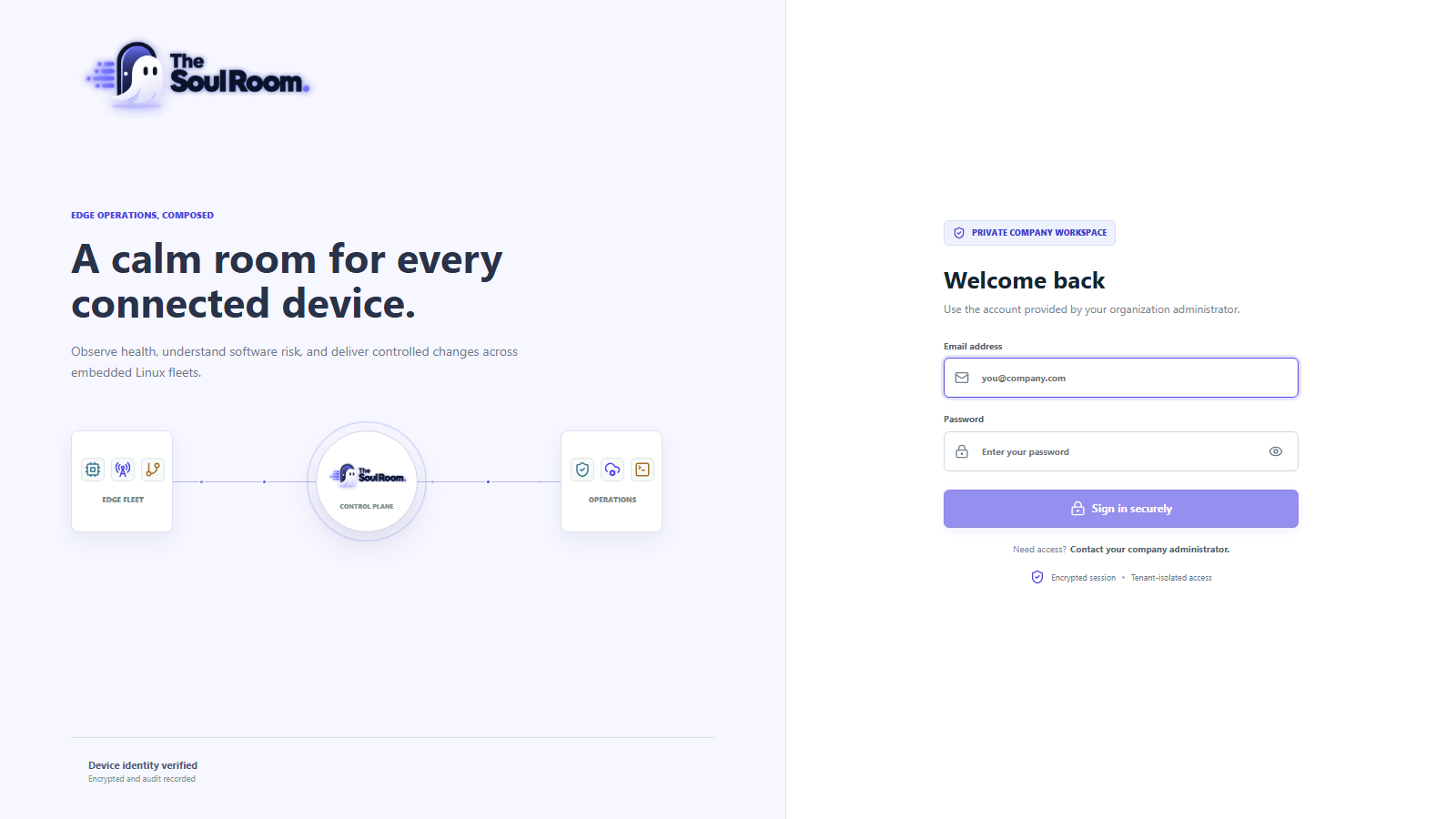
Soul Room brings those workflows into one place. It combines a lightweight Linux agent, a tenant-aware control plane, and a responsive operations console. The same platform is intended for Ubuntu and Debian systems, Yocto-based products, industrial gateways, and other embedded Linux devices.
Soul Room is currently an open-source public beta. It is ready for evaluation, development labs, and controlled pilots. Production and safety-critical fleets still require independent validation of security, tenant isolation, update compatibility, backups, rollback, and recovery.
Why I Built It
An embedded product usually accumulates separate tools for enrollment, telemetry, remote access, update delivery, package inspection, diagnostics, and audit history. Each tool may solve one part well, but the product team still has to connect identities, permissions, device capabilities, operational state, and recovery procedures.
I wanted a platform where the device is treated as a product throughout its lifecycle:
- enroll it with a unique identity;
- understand its hardware, operating system, packages, applications, and health;
- deliver typed operational jobs, including to devices that reconnect later;
- diagnose problems without exposing a general remote shell through the fleet protocol;
- launch audited remote access through a separate, explicit security boundary;
- deliver updates only through mechanisms the device genuinely supports;
- start with a pilot group, verify health, then promote with confidence;
- keep tenant scope, roles, audit history, backup, and restore part of the design.
That is the idea behind the name: a calm operational space for every connected device.
The Platform at a Glance
Soul Room has three primary layers.
1. Linux Edge Agent
The Go agent runs as a Linux service on the device. It creates and preserves its identity, enrolls with a one-time token, reports inventory and telemetry, buffers work while offline, executes typed jobs, and advertises only the capabilities available on that device.
The agent is built for amd64, arm64, and armv7. This covers development PCs and gateways as well as many embedded targets. Distribution-specific integration is kept separate from CPU architecture, so the same agent can be packaged for Ubuntu, Debian, or integrated into a Yocto image.
Its internal boundaries include identity, enrollment, transport, durable storage, telemetry, inventory, jobs, applications, containers, downstream connectors, OTA, observability, and audit. The device initiates the HTTPS connection to the control plane, which is practical for equipment behind NAT and firewalls.
2. Tenant-Aware Control Plane
The control plane receives browser/API traffic and device traffic through separate boundaries. Tenant-owned records carry tenant identity, and authorization derives scope from the authenticated membership rather than accepting a tenant identifier supplied by the browser.
For a small on-premises installation, Docker Compose starts the console, control plane, durable platform state, and bundled ShellHub services. The repository also contains Helm and Terraform foundations for deployments that need external infrastructure.
3. Operations Console
The React console organizes the work into clear fleet, operations, management, analysis, and settings areas. It includes fleet search, exports, device maps, charts, update workflows, audit history, role-aware navigation, and a responsive layout for engineers who need to use it away from a large desktop monitor.
The console shows data reported by enrolled devices. A clean installation begins with an empty fleet; Soul Room does not manufacture synthetic devices or pretend demo telemetry is live.
What You Can Do Today
Enroll and Understand a Fleet
Create a one-time enrollment token, download the development CA, install the matching agent bundle, and let the first heartbeat register the device. From there Soul Room can present:
- connection presence and last-seen state;
- hardware and operating-system inventory;
- CPU, memory, storage, network, and temperature telemetry;
- gateways and represented downstream devices;
- device location through explicitly configured static, GPSD, or optional IP-based reporting;
- Debian and RPM package inventory;
- application and deployment state.
Location is disabled by default. It must be deliberately selected on the device, which keeps a potentially sensitive signal under local control.
Operate Devices Without Losing State
Operations are represented as typed jobs with expiry, idempotency, attempt tracking, progress, and results. Devices can receive queued work after reconnecting, while stale work is bounded by expiry rather than executing unexpectedly days later.
Current workflows include diagnostics, bounded log collection, deployments, alerts, and device operations. The agent uses allowlisted job types instead of accepting arbitrary cloud-provided shell commands. That is an intentional boundary: fleet automation should be explicit and auditable.
Monitor Real Device Health
The health view combines current values with independent chart scales so small changes remain visible instead of being flattened by an unrelated metric. The screenshot above is a real Raspberry Pi 5 reporting CPU, memory, root-filesystem usage, temperature, capacity, and network counters.
The console can also derive attention signals for disconnected devices, unhealthy states, and certificates approaching expiry. Data can be exported for further investigation or reporting.
Review Software and Vulnerability Posture
Package inventory gives teams a device-level view of installed Debian or RPM software. Optional Trivy-backed advisory scans can turn that inventory into vulnerability findings, while setup and air-gap guidance keep the scanner boundary visible.
This is useful for answering practical questions: Which devices have a package? Which version is deployed? Which findings need attention? The platform provides evidence for the decision rather than treating a CVE count as the decision itself.
Use Remote Access as a Separate Trust Boundary
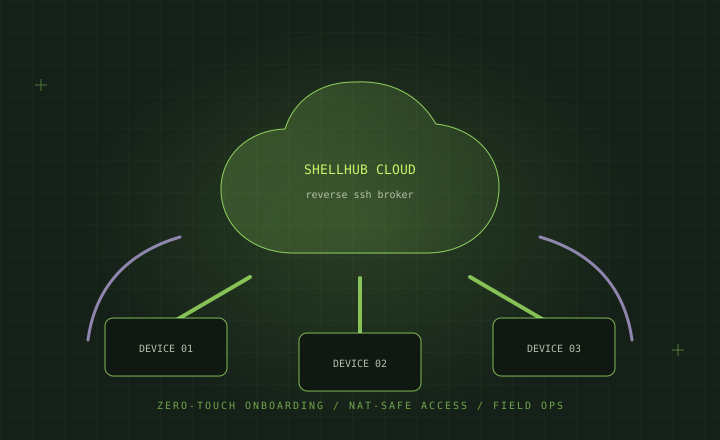
Soul Room includes a self-hosted ShellHub Community Edition deployment. It supports outbound device tunnels and an audited launch point from the console, so teams do not need a separate hosted ShellHub account for evaluation.
The Soul Room agent remains responsible for inventory, telemetry, jobs, and OTA. The separately installed ShellHub agent owns the interactive SSH tunnel. Keeping these responsibilities separate prevents remote shell access from being silently hidden inside the fleet-agent protocol and allows organizations to enable it only on devices that permit interactive maintenance.
OTA Designed Around Device Reality
OTA is where fleet software meets bootloaders, storage layouts, signing keys, power loss, and recovery. Soul Room therefore does not assume that installing an updater binary makes a device update-safe.
The agent exposes an OTA capability only when the matching updater exists. The control plane rejects a campaign when a target does not report the selected capability. Built-in adapters currently cover:
| Mechanism | Typical artifact or source | Lifecycle handled |
|---|---|---|
| Mender | .mender artifact | Install, commit, rollback |
| RAUC | .raucb bundle | Verify, install, mark good or bad |
| OSTree | Signed static delta or pinned HTTPS repository commit | Verify, deploy, reboot, rollback |
| SWUpdate | .swu image | Validate and install |
| Flatpak | Repository reference and commit | Validate, update, rollback |
| Custom plugin | Product-specific | Root-owned adapter contract |
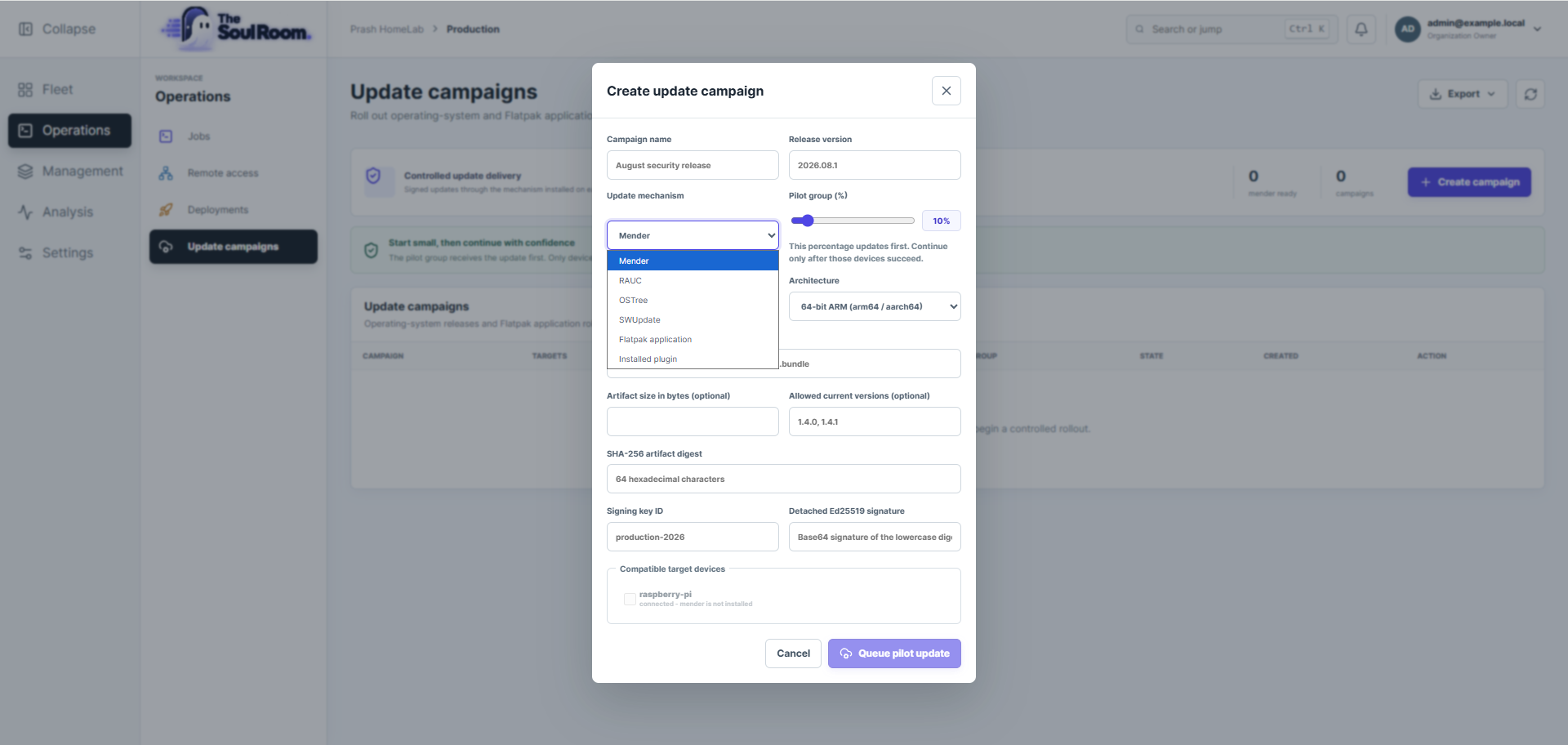
Every mechanism uses one durable OTA transaction engine for download limits, resume, SHA-256 verification, outer Ed25519 release signatures, compatibility checks, persisted phases, reboot recovery, health confirmation, commit, and rollback. Native adapters handle only the updater-specific interaction.
Campaigns begin with a pilot percentage. The first devices receive the update, report the result, and provide evidence before the rollout is promoted. The repository documentation also defines a production qualification gate covering signature rejection, interrupted downloads, power loss, full storage, failed health checks, rollback, certificate failures, and real-device pilot testing.
This design cannot replace board-specific validation, but it makes that responsibility explicit and gives the platform a safe contract to enforce.
Security and Operational Boundaries
Soul Room is designed around several concrete controls:
- per-device locally generated identity and certificates;
- random, expiring, one-time enrollment tokens;
- TLS validation with private-CA support and optional mutual TLS;
- tenant-scoped repositories, roles, permissions, quotas, and audit events;
- message identifiers, timestamps, sequence checks, job expiry, and idempotency;
- typed jobs and allowlisted file-deployment destinations;
- artifact digests, release signatures, compatibility metadata, and health checks;
- container policy that rejects privileged mode, host networking, arbitrary mounts, and Docker socket mounts by default;
- read-only defaults for downstream-device connectors;
- backup and restore workflows for local installations;
- CI checks including tests, formatting, CodeQL, dependency review,
govulncheck, npm audit, and Trivy scanning.
Successful changes on master publish multi-architecture container images with SBOM and provenance attestations. Version tags also produce amd64, arm64, and armv7 agent bundles with SHA-256 checksums.
The public documentation also states what remains simulated, interface-only, or deferred. That transparency matters. External identity providers, external PKI, malware scanning integrations, production notification providers, full database wiring, and broader end-to-end coverage are not presented as finished production capabilities.
Try Soul Room Locally
You need Docker Desktop, or Docker Engine with Docker Compose v2. Clone the repository and launch the published multi-architecture images:
git clone https://github.com/prashantdivate/soul-room-edge-platform.git
cd soul-room-edge-platform
./platform.sh install
On Windows Command Prompt or PowerShell:
git clone https://github.com/prashantdivate/soul-room-edge-platform.git
cd soul-room-edge-platform
platform.cmd install
Then open http://localhost:3080. For a normal installation, create cloud-infra/.env from the supplied example first and choose a unique owner password. The README documents the localhost-only fallback credentials, physical-device networking, image builds, clean resets, and every launcher command.
To connect a device, open Management > Enrollment, generate a token, download the CA, build or download the correct architecture bundle, and run its installer with the endpoint, CA, token, and device name. A successful heartbeat makes the device visible under Fleet > Devices.
Where I Want the Community to Take It
Soul Room is for embedded Linux, Yocto, IoT, security, and platform engineers who want an understandable foundation they can run, inspect, challenge, and improve.
You can help immediately:
- Run it in a development lab and connect a real Ubuntu, Debian, Raspberry Pi, or Yocto device.
- Test the workflows against your hardware and updater stack.
- Open a reproducible issue when behavior is unclear or incorrect.
- Review the threat models and implementation-status documents.
- Improve documentation, adapters, tests, packaging, and product workflows through pull requests.
- Star the repository if the direction is useful so more edge engineers can discover it.
Start with the Soul Room repository, follow the Quick Start, and tell me where the platform helps and where it still gets in your way. Real devices, real constraints, and honest feedback are how this public beta becomes a dependable edge operations platform.