An update is more than a download followed by a reboot. It changes a running system while depending on storage, power, network access, and the assumptions made by the previous release.
A useful starting point is to draw the process as a state machine. This note is a design exercise, not a claim that a particular product implements a fail-safe updater.
Start with the states
Consider a deliberately small model:
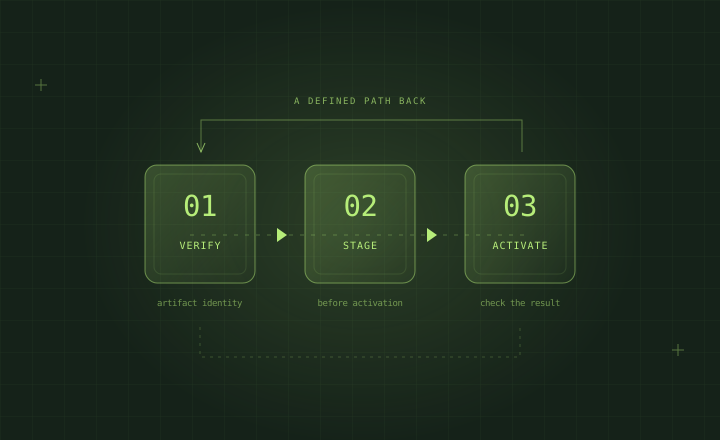
idle -> downloading -> verified -> staged -> activating -> checking -> committed
             |             |          |          |           |
             +-------------+----------+----------+-----------+
                               failure handling
Each transition should answer two questions: what durable evidence says the transition finished, and what should happen when the device starts again before it finished?
A progress percentage does not answer either question. The state on persistent storage must describe something the next boot can understand.
Separate transfer from activation
Downloading an artifact should not automatically make it the active version. Verification and compatibility checks belong before activation.
A candidate can be downloaded successfully and still be unsuitable for a board, partition layout, application schema, or operating-system version. Design the compatibility decision explicitly instead of treating a successful transfer as permission to proceed.
Define the recovery boundary
Write down which pieces change together. Operating-system files, containers, configuration, and application data may have different lifecycles.
For example, restoring an earlier application image does not automatically reverse a database migration. A recovery design needs a decision about data compatibility, not only a previous executable.
| Question | Evidence to capture |
|---|---|
| What was selected? | Immutable release identifier |
| What was received? | Verified artifact identity |
| What was activated? | Durable active-version record |
| What was tested? | Explicit health-check results |
| What can be restored? | Recovery target and compatibility limits |
Make health checks specific
“The process exists” and “the product works” are different statements. Start with a bounded set of checks that reflects the actual product: a required interface is available, a critical service responds, or a local end-to-end operation completes.
Keep timeouts and retry limits explicit. A health check that waits forever merely moves the failure into a different stage.
Test the transitions
For each transition, introduce failures on a test device: interrupted transfer, insufficient storage, invalid artifact, failed startup, and unexpected loss of power. Record the state observed after the next boot.
The useful result is not that the device recovered once. It is that each interrupted transition has a defined, repeatable outcome.
This is an engineering checklist, not a guarantee. The actual guarantees depend on the boot chain, storage behavior, data model, and updater implementation.
Takeaway
Before adding another progress indicator, define what “safe to activate,” “healthy,” and “safe to restore” mean. Those definitions are the foundation for useful automation.